1. Overview
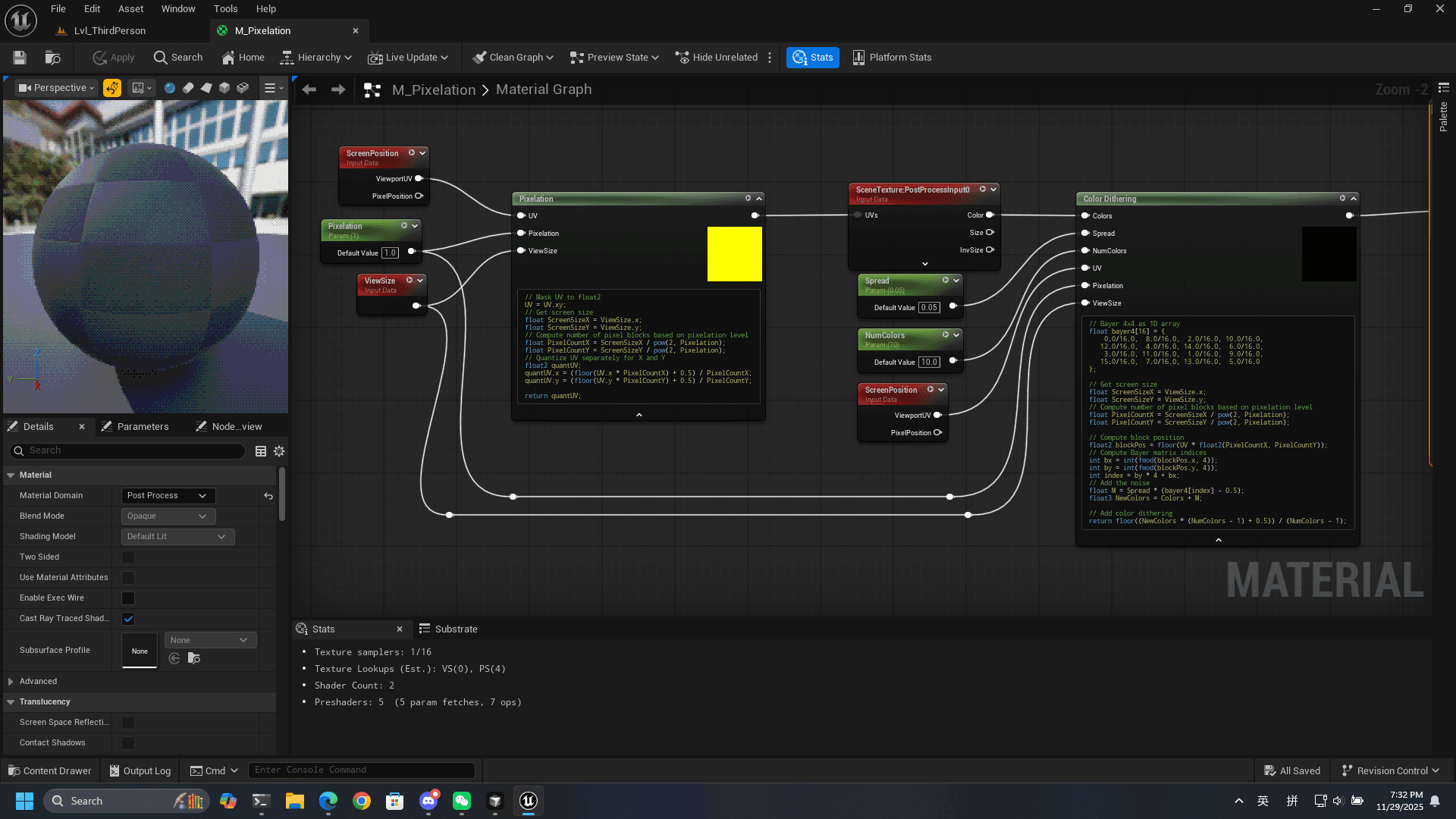
This project is originally for my graphics final assignment. Since there are many videos teaching how to use post process volumen + post process material to implement different stylizations in UE, I would like to do something different. I want to try if I can replicate the stylization using custom nodes. In short, all the logic and math operations will be implemented by coding. In this blog, I will focus on the post process material.
I am using UE5.6, and pixelation rendering is my objective.
2. Pixelation
Pixelation reduces the effective resolution of the rendered image by grouping adjacent screen pixels into blocks and giving every pixel in a block a single representative color. Usually, the color of the block center will be picked (aka point filtering). This produces a tiled, low-res aesthetic.
Let's do it in UE!
2.1 UV and ScreenSize
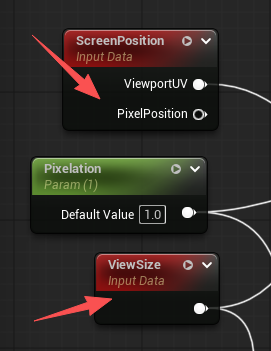
First, we need the UV and current resolution ScreenSizeX ScreenSizeY. UV is the start of everything because it contains the normalized screen position of the current pixel. This UV tells us where on the screen we currently are, and more importantly, which part of the final scene texture should be sampled for this pixel. Based on different ScreenSizeX ScreenSizeY, we can find the actual pixel-space size of each block and convert between normalized UV space to real screen pixels.
We can get UV, ScreenSizeX, and ScreenSizeY directly from the UE built-in nodes. To be noticed, we should always mask the input UV to float2.
2.2 Pixel Blocks
With the screen size and UV available, we can calculate how many pixel blocks fit across the screen. How to calculate the pixel blocks?
float PixelCountX = ScreenSizeX / pow(2, Pixelation);
float PixelCountY = ScreenSizeY / pow(2, Pixelation);
Here, Pixelation is a user parameter to control how coarse the pixelation effect becomes. We should divide the screen size by the powers of 2 so that our pixel blocks will be squares.
2.3 Quick Example
I know it is very abstract. So here is an example to clarify previous 2 steps. Let's say we have:
ScreenSizeX = 1920
ScreenSizeY = 1080
Pixelation = 3
In this case, our code will get:
PixelCountX = 1920 / 8 = 240
PixelCountY = 1080 / 8 = 135
So, we divide the screen into 240 blocks across (horizontal) 135 blocks down (vertical). The total number of pixel blocks is: 240 × 135 = 32,400 blocks.
2.4 quantUV
After understanding the previous steps, we can then calculate the quantUV. This can enable multiple screen pixels to read from the same location in the scene texture.
- Convert UVs into block space: This maps UV (0–1) into block indices (0 → PixelCountX).
floor(UV.x * PixelCountX)- Add 0.5 to pick the block center: This means we sample from the center of the block rather than the edge.
floor(UV.x * PixelCountX) + 0.5- Convert block index back to UV space (0–1):
(floor(UV.x * PixelCountX) + 0.5) / PixelCountX;The complete code to calculate quantUV:
float2 quantUV;
quantUV.x = (floor(UV.x * PixelCountX) + 0.5) / PixelCountX;
quantUV.y = (floor(UV.y * PixelCountY) + 0.5) / PixelCountY;
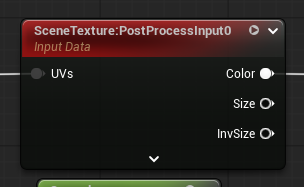
We can then sample the scene color at quantUV and output that color for the whole block. Another blueprint node will handle this part:
2.5 Complete Code for Pixelation
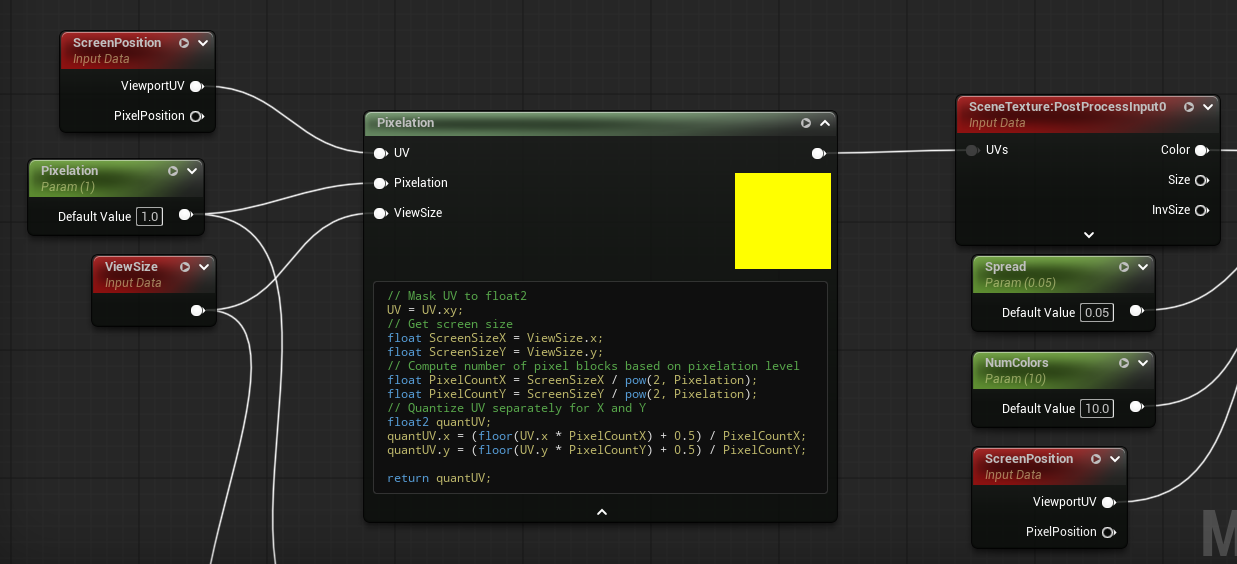
// Mask UV to float2
UV = UV.xy;
// Get screen size
float ScreenSizeX = ViewSize.x;
float ScreenSizeY = ViewSize.y;
// Compute number of pixel blocks based on pixelation level
float PixelCountX = ScreenSizeX / pow(2, Pixelation);
float PixelCountY = ScreenSizeY / pow(2, Pixelation);
// Quantize UV separately for X and Y
float2 quantUV;
quantUV.x = (floor(UV.x * PixelCountX) + 0.5) / PixelCountX;
quantUV.y = (floor(UV.y * PixelCountY) + 0.5) / PixelCountY;

return quantUV;
3. Ordered Dithering
Wiki: https://en.wikipedia.org/wiki/Ordered_dithering
3.1 Why Ordered Dithering?
When we quantize color (reduce 0–255 color space into fewer steps), the image often suffers from banding:
- smooth gradients turn into chunky, obvious stripes
- flat tones appear too uniform
- transitions feel unnatural
Ordered dithering aims to eliminate color banding, making the quantized image visually closer to the original image.
3.2 Bayer Matrix
The core of ordered dithering is a Bayer matrix, a small 2×2, 4×4, or 8×8 matrix filled with values 0–1 that form an ordered threshold pattern.
The most commonly used matrix is the 4×4 Bayer matrix:
// Bayer 4x4 as 1D array
float bayer4[16] = {
    0.0/16.0,  8.0/16.0,  2.0/16.0, 10.0/16.0,
   12.0/16.0,  4.0/16.0, 14.0/16.0,  6.0/16.0,
    3.0/16.0, 11.0/16.0,  1.0/16.0,  9.0/16.0,
   15.0/16.0,  7.0/16.0, 13.0/16.0,  5.0/16.0
};
3.3 Applying Ordered Dithering to Color
To apply ordered dithering per pixel, we map the screen pixel location into the Bayer matrix using mod (%).
UE gives us the UV in 0–1 space, but the matrix works in pixel space, so we convert:
// Compute block position
float2 blockPos = floor(UV * float2(PixelCountX, PixelCountY));
// Compute Bayer matrix indices
int bx = int(fmod(blockPos.x, 4));
int by = int(fmod(blockPos.y, 4));
int index = by * 4 + bx;
Here, my step to calculate which value in the matrix should be applied is different from others because my bayer matrix is an 1D array. If you has it with a 2D array, it should be bayer[by][bx] (by is the column).
Then we can create a user parameter Spreading and add M (noice) to each pixel. If Spreading == 0, no dithering.
// Add the noise
float M = Spread * (bayer4[index] - 0.5);
float3 NewColors = Colors + M;
Now, there is one last step before we can output the final color.
4. Color Quantization
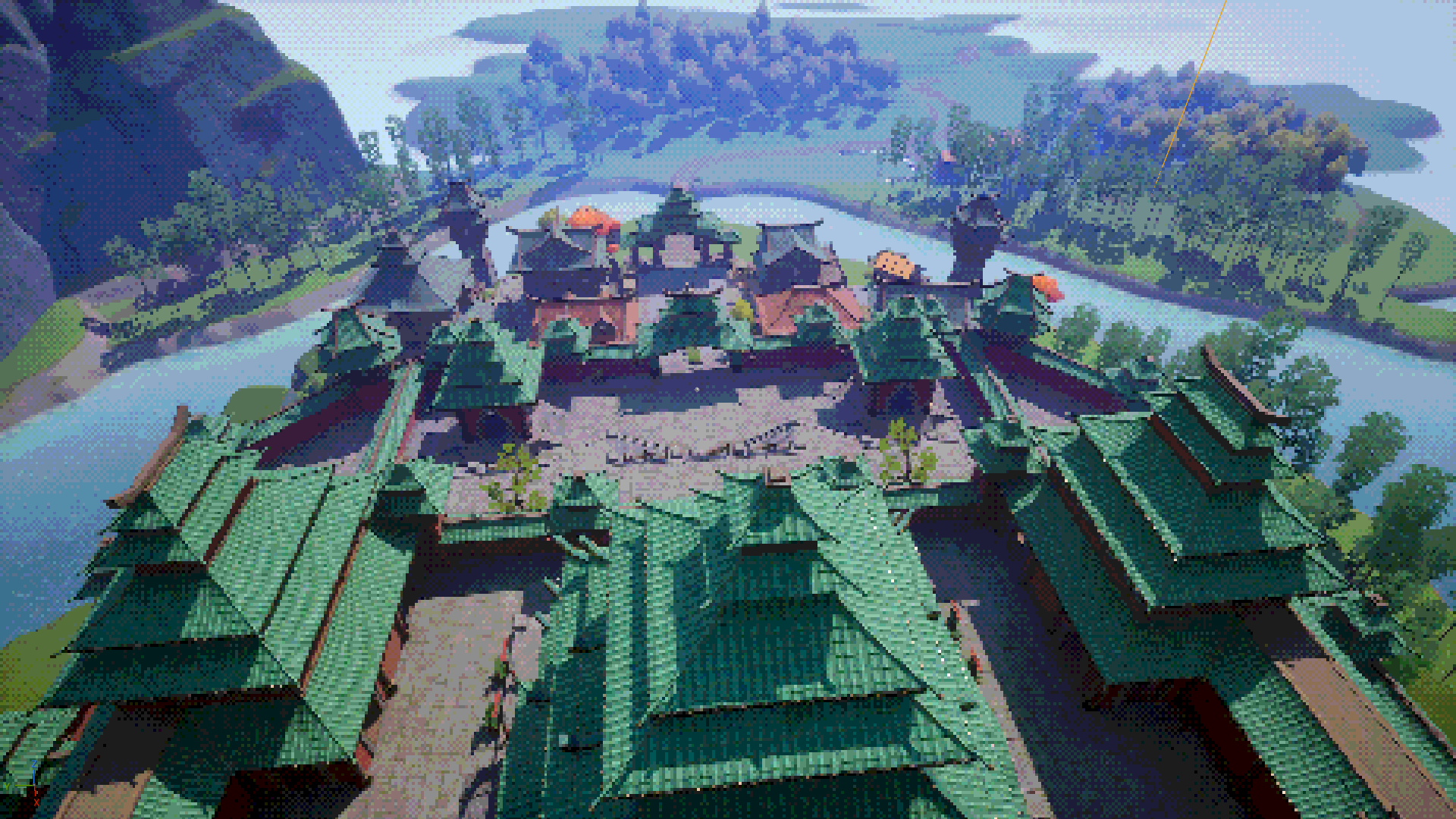
Color quantization is the process of reducing the number of distinct colors in an image. Instead of using the full 24-bit RGB color space (16.7 million colors), we map each pixel to a smaller, fixed palette. This is common in retro graphics, GIF compression, and stylized rendering. When combined with pixelation and ordered dithering, it helps produce a distinct low-color, old-console aesthetic.
In our post-process material, we implement color quantization directly in HLSL by rounding each pixel’s RGB channels to the nearest available color level.
The simplest approach is uniform quantization, where each RGB channel is divided into a fixed number of steps. We need a new user parameter NumColors. For example, if we choose NumColors = 4, each channel can only be:
0.0
0.33
0.66
1.0
The code is very easy. Remember NewColors we got from the last step?
// Add color quantization
return floor((NewColors * (NumColors - 1) + 0.5)) / (NumColors - 1);
That's it! We can now connect the output to the final emissive color. Don't forget to play with those parameters to get different effects.
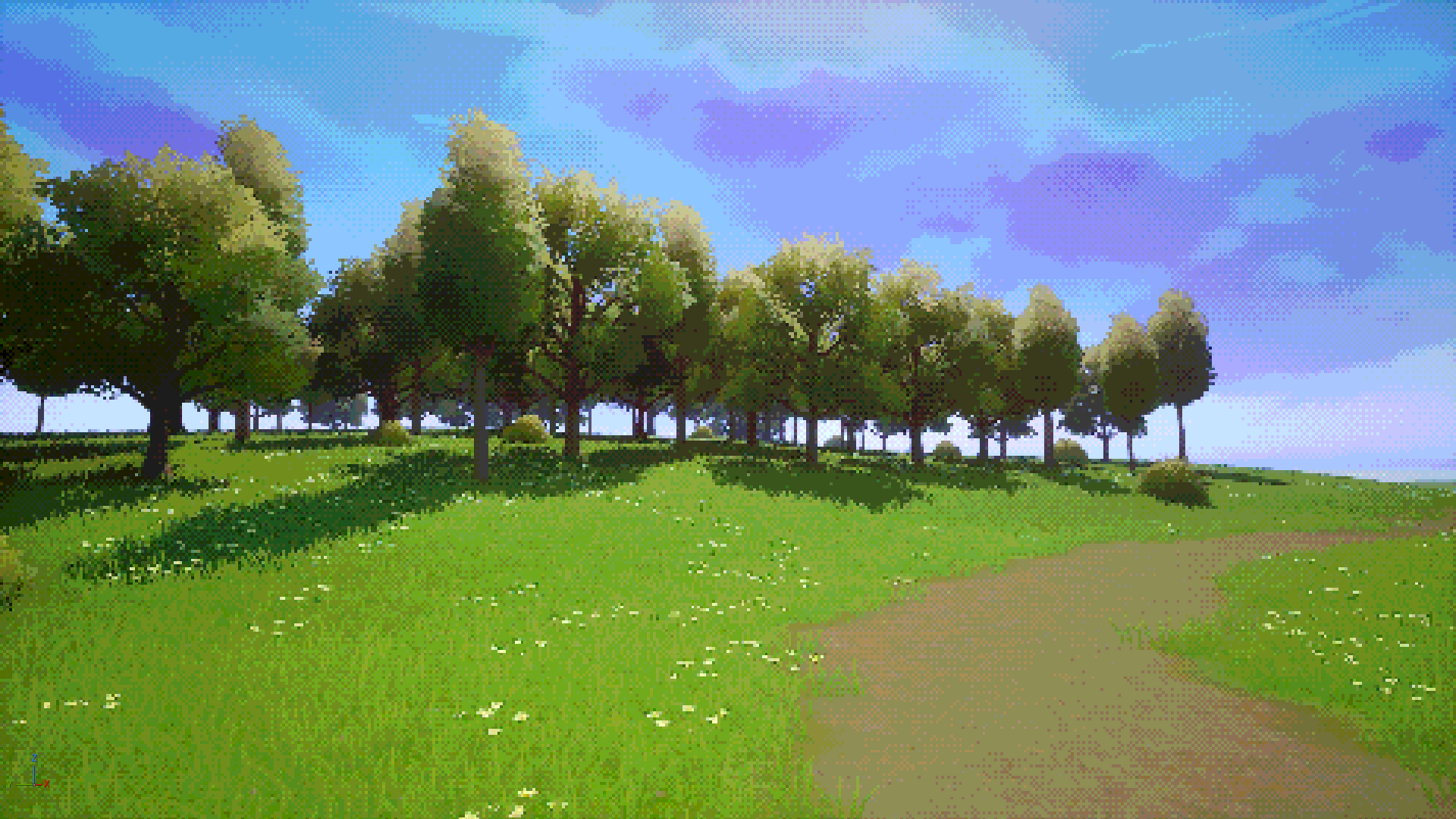
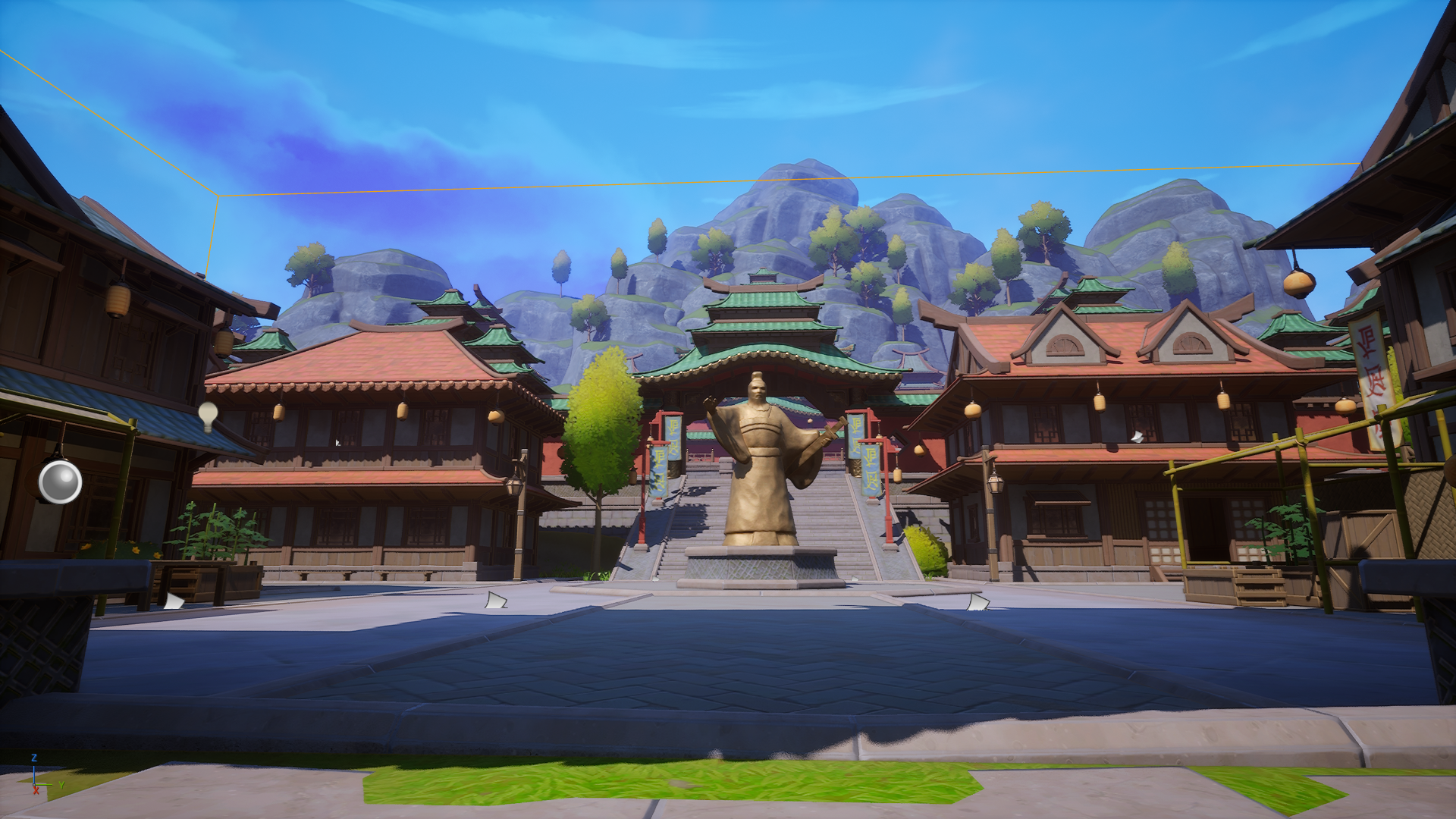
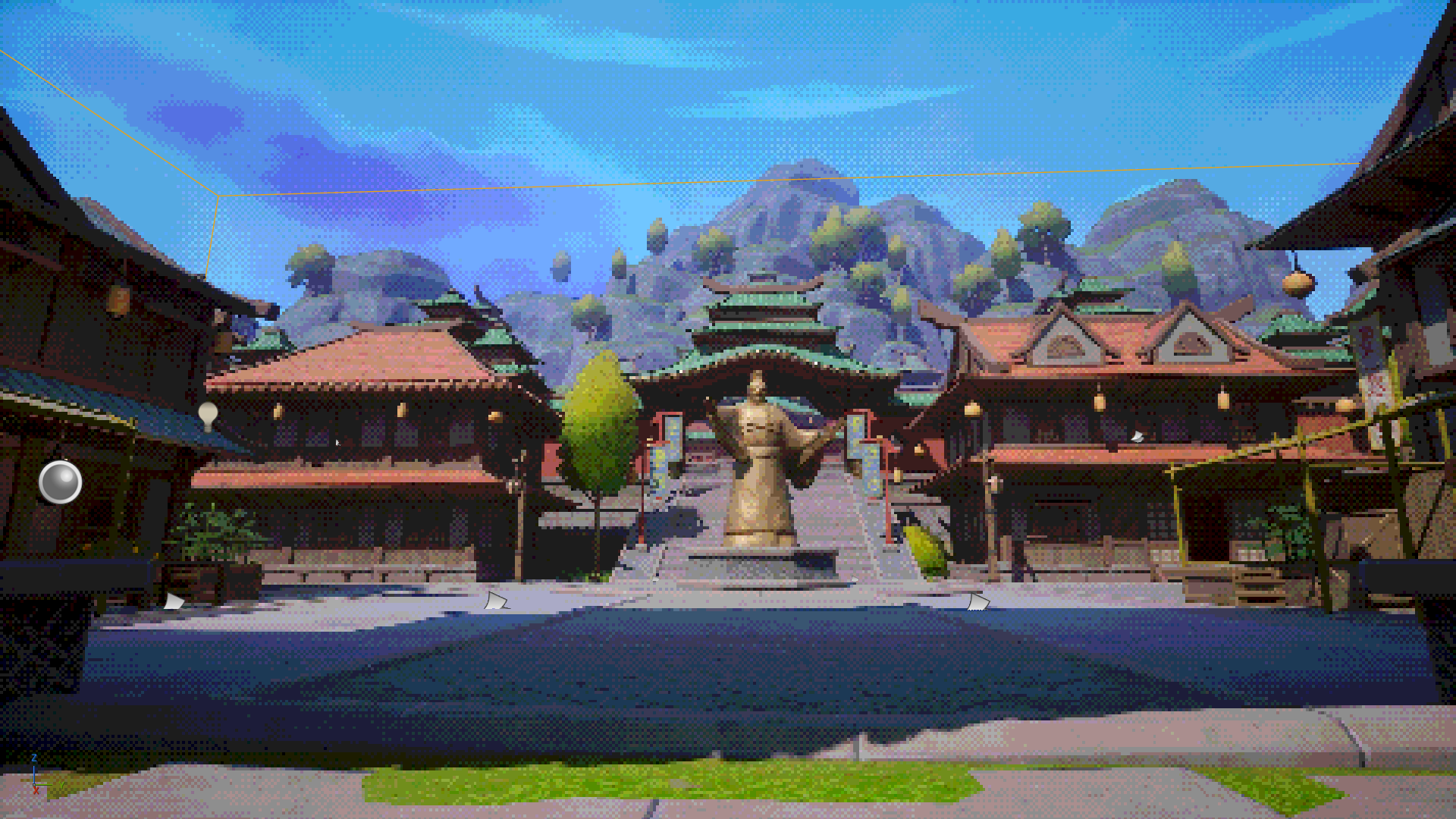
5. Complete Implementation and Effect
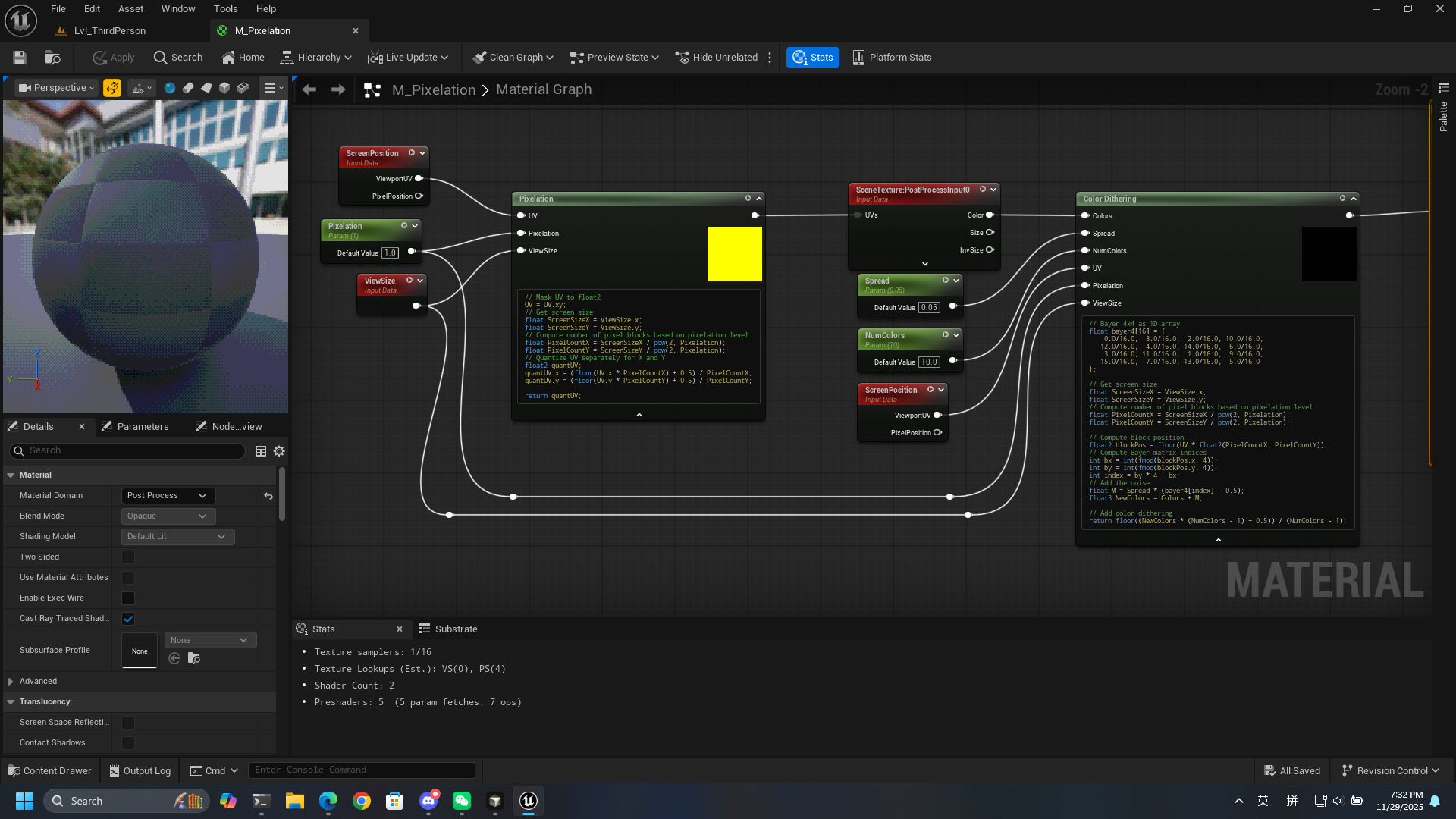
// Pixelation

// Mask UV to float2
UV = UV.xy;
// Get screen size
float ScreenSizeX = ViewSize.x;
float ScreenSizeY = ViewSize.y;
// Compute number of pixel blocks based on pixelation level
float PixelCountX = ScreenSizeX / pow(2, Pixelation);
float PixelCountY = ScreenSizeY / pow(2, Pixelation);
// Quantize UV separately for X and Y
float2 quantUV;
quantUV.x = (floor(UV.x * PixelCountX) + 0.5) / PixelCountX;
quantUV.y = (floor(UV.y * PixelCountY) + 0.5) / PixelCountY;

return quantUV;
// Dithering + Color Quantization
// Bayer 4x4 as 1D array
float bayer4[16] = {
0.0/16.0, 8.0/16.0, 2.0/16.0, 10.0/16.0,
12.0/16.0, 4.0/16.0, 14.0/16.0, 6.0/16.0,
3.0/16.0, 11.0/16.0, 1.0/16.0, 9.0/16.0,
15.0/16.0, 7.0/16.0, 13.0/16.0, 5.0/16.0
};
// Get screen size
float ScreenSizeX = ViewSize.x;
float ScreenSizeY = ViewSize.y;
// Compute number of pixel blocks based on pixelation level
float PixelCountX = ScreenSizeX / pow(2, Pixelation);
float PixelCountY = ScreenSizeY / pow(2, Pixelation);
// Compute block position
float2 blockPos = floor(UV * float2(PixelCountX, PixelCountY));
// Compute Bayer matrix indices
int bx = int(fmod(blockPos.x, 4));
int by = int(fmod(blockPos.y, 4));
int index = by * 4 + bx;
// Add dithering (noise)
float M = Spread * (bayer4[index] - 0.5);
float3 NewColors = Colors + M;
// Add color quantization
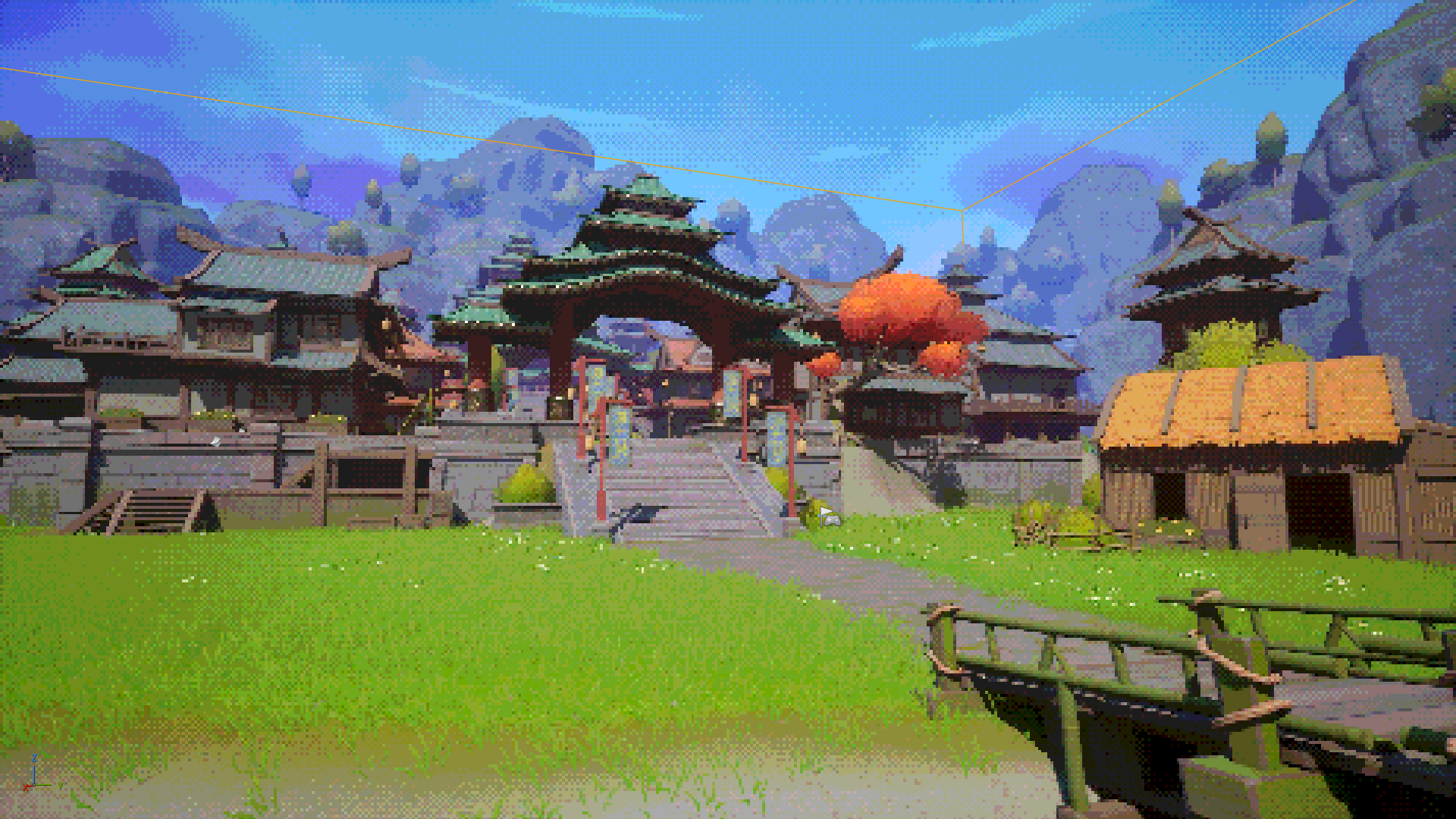
return floor((NewColors * (NumColors - 1) + 0.5)) / (NumColors - 1);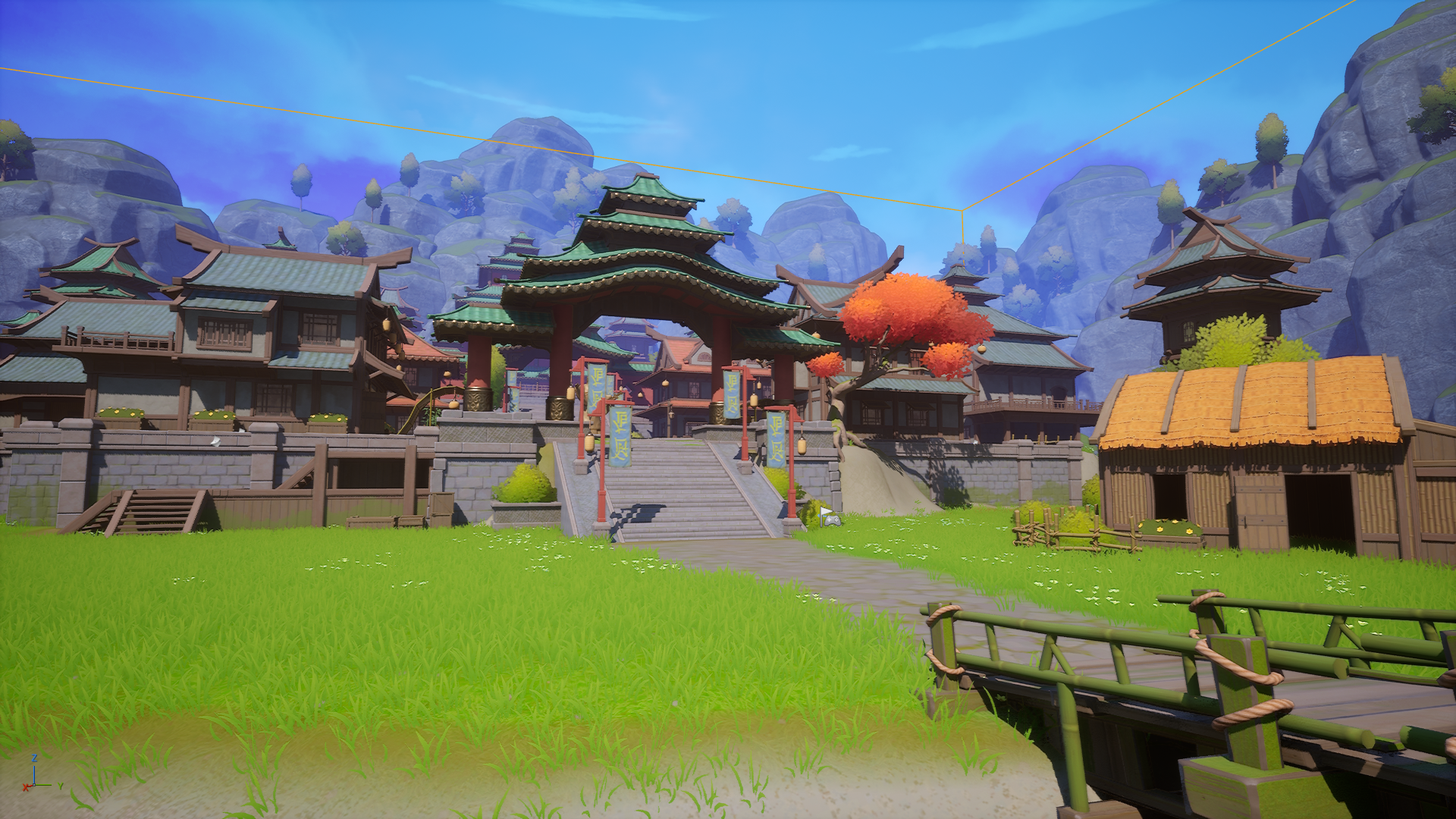
6. References
Pixelation Concept: https://youtu.be/8wOUe32Pt-E?si=PCloGa3sQECZYs0b
「End」